Fix Today, Pay Tomorrow
afterpay logo

Mac Overheating Problems? Auckland Repair Tips and Solutions

In terms of look and feel, nothing feels more premium than those sleek MacBooks. But a drawback of these premium laptops that can lead to buyer’s remorse later is the heating issue. Your Mac can sometimes get hot. Really hot. And that is not a positive sign. If your Mac also feels like a frying pan, there are some tips and solutions you should know.

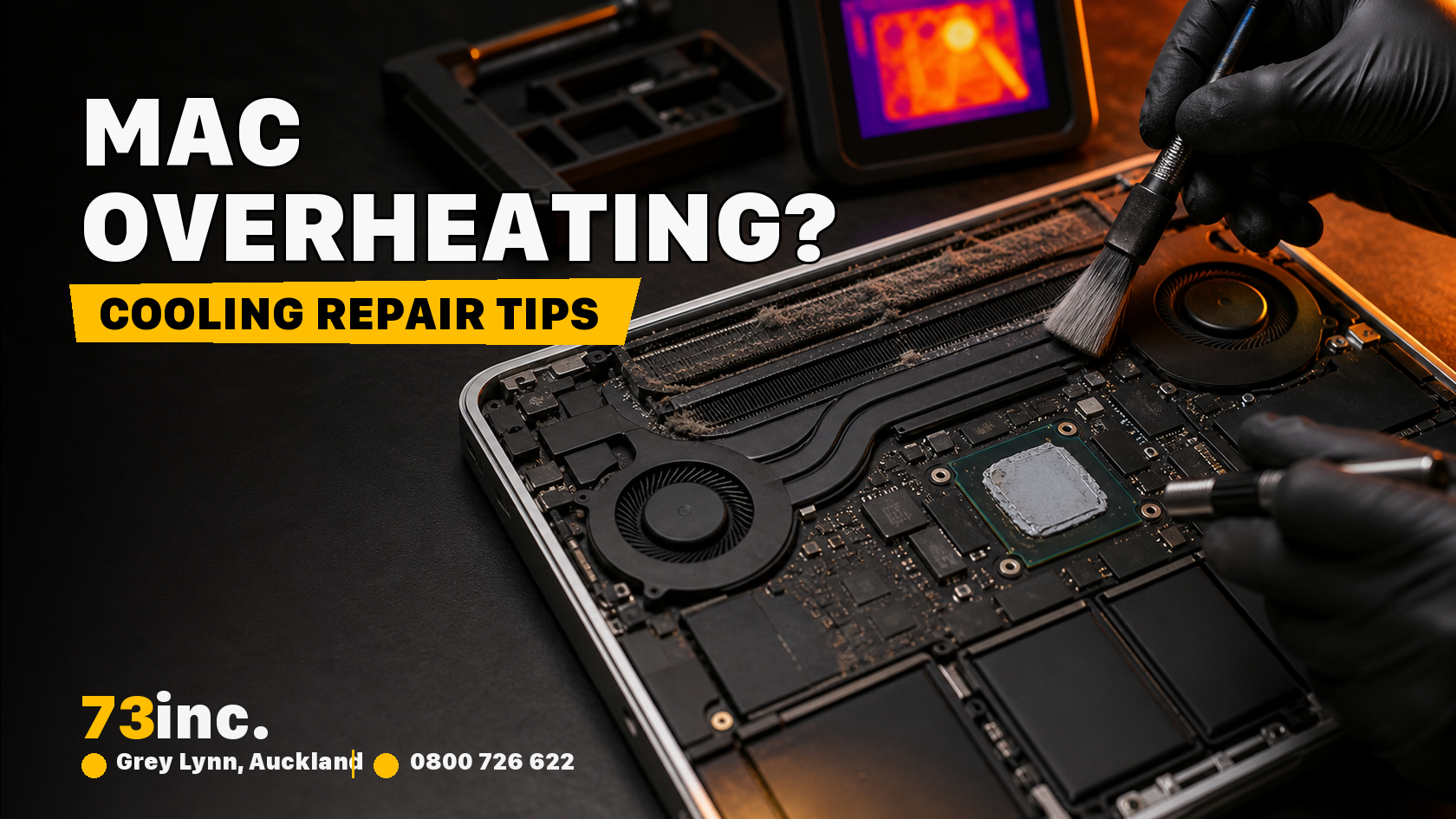
73inc blog image for Mac Overheating Problems? Auckland Repair Tips and Solutions

When Heat Becomes a Problem Worth Solving

Mac overheating is annoying. It’s a sign that your computer needs some serious help. The only reliable way to fix it is to seek Mac repair in Auckland. Does that fan (if you have a MacBook Pro) sound like a jet preparing for takeoff? That’s not a positive sign.

In these extreme heating conditions, using it becomes more challenging due to the laptop’s aluminium body. The whole point of a laptop stops making sense since you can’t put it on your lap due to the high heat. The worst part is that this thermal throttling limits the computer’s performance, resulting in screen freezes, lag, and sluggish performance.

However, the fact is that there’s rarely a single cause behind overheating.

Sometimes, it’s just dust bunnies blocking the air vents. In other cases, it can be software that has gone rogue and starts consuming resources like a black hole. Or, occasionally, it’s the hardware that’s nearing its end and will eventually give up.

The Usual Suspects Behind Your Mac’s Fever

Let’s see what’s actually cooking your Mac from the inside.

1. Dust and Debris

These are the silent assassins of computer cooling. You don’t often see it, but your Mac is probably way dustier than it looks, especially from the inside. If dust is slowly accumulating on your device, it will eventually block the airflow on your Mac. Your laptop will eventually struggle to breathe, but each intake will be a challenge.

2. Resource-Hungry Applications

They can be another antagonist in your Mac’s life. Though macOS is already quite optimised for a smooth performance, things can go south sometimes. Chrome with forty-seven tabs open. Video editing software rendering in the background. The game you opened, played for five minutes, and closed because you got bored with it. All of these lurk in the background and eat the processing power. And processing power generates heat.

3.Aging Thermal Paste

This mixture of thermally conductive fillers sits between your CPU and its cooling system. The job is to transfer heat away from critical components. However, over time, the paste dries out and becomes essentially useless, serving as a filler.

Warning SignWhat It MeansUrgency Level
Fan constantly runningThe system is working overtime to cool downMedium 
Hot to touch on the keyboard/bottomPoor heat dissipationHigh 
Unexpected shutdownsThermal protection kicking inCritical 
Performance throttlingThe CPU is reducing its speed to lower temperaturesMedium 

Quick Fixes You Can Try Right Now

Panicking solves nothing. Here are some solutions you can try out.

  • Clear the clutter: Immediately close the apps you aren’t using. This also includes those browser tabs you plan to check on but never really do.
  • Elevate your Mac: Laptop stands aren’t just an aesthetic gimmick or a friend for your hurting neck. They also improve airflow underneath your device, allowing it to breathe freely.
  • Check your charging situation: This is an unexpected issue. If you’re wondering why is my Mac not charging properly, it might be connected to overheating issues. Faulty chargers or damaged charging ports often lead to electrical irregularities. The result? Excess heat.
  • Update your software: The updates aren’t just there to add some new, fancy widgets to your laptop that you’ll never use. They fix bugs and optimise your system. Make sure to keep your system updated.

When DIY Isn’t Enough

Home remedies aren’t always the best remedies.

For complex and fragile devices like MacBooks, the best option is to hand them over to a professional for repair. If your laptop’s heating issue persists, or you’re experiencing random shutdowns, or even a simple email checking task is turning your laptop into a sun-baked roof, it’s best to consult a professional.

Experts like 73Inc Limited can guide you through and fix your device. They have the right tools and expertise to open up your device without turning it into an expensive paperweight.

Stay Cool, Stay Productive

An overheating Mac isn’t the end of the device’s life. But it’s surely a wake-up call. Routine maintenance, smart software management, and occasional tune-ups can help keep the cool. However, you must also keep it ventilated and updated for optimal performance. And when in doubt, it’s always good to reach out to an expert. A cool Mac is a happy Mac, a productivity booster, and a great companion during boredom.

Get A Free Quote.

A diagnostic fee will apply in situations where we deem it necessary to conduct thorough testing to identify the source of issues.

Recent Post

Flexible ways to pay

Repair today. Pay the way that works for you.

Choose secure card payment, PayPal, or split eligible purchases with Afterpay.

VISAmastercardAMERICAN
EXPRESS
PayPalafterpay↗

Payment method availability, Afterpay eligibility and provider terms apply.

Trusted by Auckland customers

What our Google customers say

4.9★★★★★Google rating

Verified customer reviews imported directly from the 73inc Google Business Profile.

Posted on Google Google
Mikey Lougheed profile picture
Mikey Lougheed
Google star 1Google star 2Google star 3Google star 4Google star 5Trustindex verifies that the original source of the review is Google.
I walked into 73inc 9 years ago and I have never left. From cell phones that the kids have broken to computers that have stopped working on me. Enzo and his crew have never let me down. My computer died 3 months ago. Enzo stayed open till 8;30pm just for me. I was in trouble, I left that night with a working computer ready for the next day. That is the customer service that keeps me going back that just doesn't exist in any where else.
Posted on Google Google
Ross Alaine Ortile profile picture
Ross Alaine Ortile
Google star 1Google star 2Google star 3Google star 4Google star 5Trustindex verifies that the original source of the review is Google.
I highly recommend Enzo! He provided fast, friendly, and amazing service. My laptop had a battery issue, and he fixed it quickly. So far, my laptop has been working perfectly, and the new battery is working great as well. He was very helpful and made the whole process easy and hassle-free. I’m very happy with the service and would definitely recommend him to anyone who needs laptop repairs. Thank you so much, Enzo! 😊
Posted on Google Google
B C profile picture
B C
Google star 1Google star 2Google star 3Google star 4Google star 5Trustindex verifies that the original source of the review is Google.
Great Service, my iphone stopped working and 73inc had it fixed within the day. The owner is super nice, he could have tried to up-sell but I felt he gave me honest advice with the least $ to spend. Highly recommend!
Posted on Google Google
Elizabeth Brookbanks profile picture
Elizabeth Brookbanks
Google star 1Google star 2Google star 3Google star 4Google star 5Trustindex verifies that the original source of the review is Google.
73Inc is the only place to go for all computer / electronic requirements. The knowledge of staff and level of customer care is absolutely exemplary. I’m not fluent with technology and these guys assist me with patience and integrity. I know I am always getting the best product and solution for my requirements. I cannot rate 73Inc highly enough. Enzo is an absolute super star. We are so grateful to have found them and will continue to recommend their services to everyone looking for THE BEST level of customer care, value and product knowledge. Thank you 73Inc. Sincerely!
Posted on Google Google
Lola Robinson profile picture
Lola Robinson
Google star 1Google star 2Google star 3Google star 4Google star 5Trustindex verifies that the original source of the review is Google.
Such an easy and efficient service, helpful education and I think reasonable prices!
Posted on Google Google
Fred Mahadaya profile picture
Fred Mahadaya
Google star 1Google star 2Google star 3Google star 4Google star 5Trustindex verifies that the original source of the review is Google.
⭐⭐⭐⭐⭐ I just had my daughter’s MacBook screen repaired here and I’m really impressed with the service. The repair was done much faster than I expected, and I’m very happy with the result. A special thanks to Enzo, who was very friendly, helpful, and professional throughout the whole process. He explained everything clearly and made the experience easy and stress-free. Fast, reliable, and professional service. I’m very satisfied and would definitely recommend 73inc to anyone looking for a MacBook or Apple device repair in Auckland. Thank you, Enzo and the team!
Posted on Google Google
Martin Buis profile picture
Martin Buis
Google star 1Google star 2Google star 3Google star 4Google star 5Trustindex verifies that the original source of the review is Google.
Good service, and able to support older Macs. They were prompt and provided excellent updates
Posted on Google Google
Will Luxton profile picture
Will Luxton
Google star 1Google star 2Google star 3Google star 4Google star 5Trustindex verifies that the original source of the review is Google.
It was a fantastic experience dealing with 73 inc. They responded immediately to my inquiry, and provided all the information I needed for my MacBook Air repair. I dropped it off late in the afternoon and it was ready first thing the next day. They were very proactive in keeping me up-to-date with the repair status, and provided an amazing service. Will happily use them again!