

Fix Today, Pay Tomorrow
afterpay logo

Essential Tips for Laptop Repair and Maintenance

73inc blog image for Essential Tips for Laptop Repair and Maintenance

Your Mac is a major investment in your productivity and data security. A problematic machine can hamper your productivity and require you to look for laptop repair, which might cause disruption until the issue has been resolved. Although there are same-day Mac repair services, it’s always best to follow essential practices for your MacBook’s longevity and best performance.
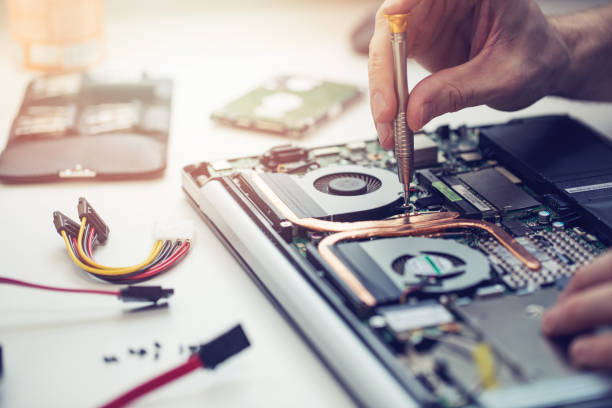
A person uses a screwdriver to work on the laptop screen replacement.

So, follow the tips below to keep your Mac decluttered and make it perform at its best:

Clean up junk files regularly.

System junk files accumulate to eat up gigabytes of Mac storage, slowing down the system’s speed and performance. So, it’s important to declutter your Mac regularly.  Junk files typically include:

  • System cache (temporary files created by macOS)
  • User cache (temporary files created by apps)
  • Browser cache
  • System log files
  • Localization files
  • Remnants of improperly uninstalled apps

…and many more.

Here is how to clean up junk files on Mac:

  1. Open the Apple menu.
  2. Go to System Settings > General > Storage.
  3. Check Recommendations under the colored bar and delete unnecessary or duplicate files or apps.

Keep macOS and apps updated.

Apple releases macOS updates periodically in order to fix bugs and improve the performance of MacBooks. So, make sure you keep your macOS up-to-date to experience the fast, bug-free performance.

To check for macOS updates, go to System Settings > General > Software Update. Click Update Now if you see any updates that are available. You can also enable automatic updates, so your system gets updated automatically.

Next, updating the apps you’re using on your Mac is also necessary to ensure a smooth experience. For any Mac App Store app, simply open the App Store and click Update > Update All. For non-App Store apps, launch the app on your Mac. Now, click its name in the menu and click Check for Updates.

Maintain and optimise storage.

For Mac users, it’s very important to know how storage works on MacBooks. With this knowledge, you can easily figure out how to manage and maintain storage on your machine. 

  • Find and delete (or transfer them to external storage) large files, such as movies, downloads, or other files.
  • Use cloud storage services like iCloud and Google Drive to move files off your Mac.
  • The Trash folder consumes a big chunk of space until you clean it. So, make sure you empty the trash regularly.

In macOS Ventura or later, there is the Optimise Storage option. Go to System Settings > General > Storage. The option only affects TV shows and movies from the TV app. Use the info button (i) next to categories to manage them.

Restart your Mac periodically.

Restarting your Mac regularly can resolve about a quarter of the problems, like apps crashing, input devices not connecting, visual glitches, etc. Restarting your Mac is the first troubleshooting step.

Restarting can help improve security by clearing malicious code running in memory. In addition, you should always restart your Mac after installing macOS updates.

Other reasons to restart your Mac frequently are:

  • Mac using virtual memory creates swap files that often take up gigabytes of space. Restart your Mac to free up all that space.
  • Performance issues often arise due to poorly coded apps or out-of-control processes. They cause Mac to fall short of physical memory and switch to virtual memory. Restarting your Mac clears such issues.
  • Restarting quits all apps and processes, letting you start over fresh.

Clean your Mac’s Exterior

Dust and grime accumulate on Mac’s body, slowing down your device. So, it’s very important to keep exterior physical components clean regularly. Dusty vents cause Mac to use more resources to cool it down, slowing down the device. Keys on the keyboard can get stuck due to dust, slowing down typing. So, make sure you regularly clean your Mac.

Use a soft, lint-free cotton cloth to clean the screen. Dampen the piece of cloth to remove fingerprints and smudges. You can also use a keyboard cleaning kit to clean the keyboard thoroughly. 

Disable unnecessary startup apps.

If your Mac is slow right after you boot it up, it could be due to the apps that open at startup. To fix this, you can disable the Mac startup programs you don’t need. Otherwise, these apps consume a lot of memory space and other valuable resources on your Mac.

Professional laptop repair only.

You cannot hand over your Mac to anyone. So, look for the best, reputable, professional laptop repair technician in your area. These professionals are fully equipped with the right tools and knowledge to identify the cause of the issue and fix it quickly. They provide competitively priced Mac repair services without compromising the quality. 

Mac maintenance tips [Recap]

A cluttered Mac can slow down your system’s performance and lead to severe issues. So, make sure you regularly clean your Mac of unnecessary files and apps. Optimise storage to claim valuable memory space that might otherwise be consumed by unnecessary things. Restart your Mac often to resolve many common issues. Finally, a professional Mac repair can provide quick and affordable services.

Get A Free Quote.

A diagnostic fee will apply in situations where we deem it necessary to conduct thorough testing to identify the source of issues.

Recent Post

Flexible ways to pay

Repair today. Pay the way that works for you.

Choose secure card payment, PayPal, or split eligible purchases with Afterpay.

VISAmastercardAMERICAN
EXPRESS
PayPalafterpay↗

Payment method availability, Afterpay eligibility and provider terms apply.

Trusted by Auckland customers

What our Google customers say

4.9★★★★★Google rating

Verified customer reviews imported directly from the 73inc Google Business Profile.

Posted on Google Google
Mikey Lougheed profile picture
Mikey Lougheed
Google star 1Google star 2Google star 3Google star 4Google star 5Trustindex verifies that the original source of the review is Google.
I walked into 73inc 9 years ago and I have never left. From cell phones that the kids have broken to computers that have stopped working on me. Enzo and his crew have never let me down. My computer died 3 months ago. Enzo stayed open till 8;30pm just for me. I was in trouble, I left that night with a working computer ready for the next day. That is the customer service that keeps me going back that just doesn't exist in any where else.
Posted on Google Google
Ross Alaine Ortile profile picture
Ross Alaine Ortile
Google star 1Google star 2Google star 3Google star 4Google star 5Trustindex verifies that the original source of the review is Google.
I highly recommend Enzo! He provided fast, friendly, and amazing service. My laptop had a battery issue, and he fixed it quickly. So far, my laptop has been working perfectly, and the new battery is working great as well. He was very helpful and made the whole process easy and hassle-free. I’m very happy with the service and would definitely recommend him to anyone who needs laptop repairs. Thank you so much, Enzo! 😊
Posted on Google Google
B C profile picture
B C
Google star 1Google star 2Google star 3Google star 4Google star 5Trustindex verifies that the original source of the review is Google.
Great Service, my iphone stopped working and 73inc had it fixed within the day. The owner is super nice, he could have tried to up-sell but I felt he gave me honest advice with the least $ to spend. Highly recommend!
Posted on Google Google
Elizabeth Brookbanks profile picture
Elizabeth Brookbanks
Google star 1Google star 2Google star 3Google star 4Google star 5Trustindex verifies that the original source of the review is Google.
73Inc is the only place to go for all computer / electronic requirements. The knowledge of staff and level of customer care is absolutely exemplary. I’m not fluent with technology and these guys assist me with patience and integrity. I know I am always getting the best product and solution for my requirements. I cannot rate 73Inc highly enough. Enzo is an absolute super star. We are so grateful to have found them and will continue to recommend their services to everyone looking for THE BEST level of customer care, value and product knowledge. Thank you 73Inc. Sincerely!
Posted on Google Google
Lola Robinson profile picture
Lola Robinson
Google star 1Google star 2Google star 3Google star 4Google star 5Trustindex verifies that the original source of the review is Google.
Such an easy and efficient service, helpful education and I think reasonable prices!
Posted on Google Google
Fred Mahadaya profile picture
Fred Mahadaya
Google star 1Google star 2Google star 3Google star 4Google star 5Trustindex verifies that the original source of the review is Google.
⭐⭐⭐⭐⭐ I just had my daughter’s MacBook screen repaired here and I’m really impressed with the service. The repair was done much faster than I expected, and I’m very happy with the result. A special thanks to Enzo, who was very friendly, helpful, and professional throughout the whole process. He explained everything clearly and made the experience easy and stress-free. Fast, reliable, and professional service. I’m very satisfied and would definitely recommend 73inc to anyone looking for a MacBook or Apple device repair in Auckland. Thank you, Enzo and the team!
Posted on Google Google
Martin Buis profile picture
Martin Buis
Google star 1Google star 2Google star 3Google star 4Google star 5Trustindex verifies that the original source of the review is Google.
Good service, and able to support older Macs. They were prompt and provided excellent updates
Posted on Google Google
Will Luxton profile picture
Will Luxton
Google star 1Google star 2Google star 3Google star 4Google star 5Trustindex verifies that the original source of the review is Google.
It was a fantastic experience dealing with 73 inc. They responded immediately to my inquiry, and provided all the information I needed for my MacBook Air repair. I dropped it off late in the afternoon and it was ready first thing the next day. They were very proactive in keeping me up-to-date with the repair status, and provided an amazing service. Will happily use them again!