



Last updated: 1 September 2026
Apple is very good at making new technology feel irresistible. A new interface appears and everyone wants to know what it can do.
Discovery is the exciting part. The harder part is working out what the technology means for you. Is the newest Mac right? Will its memory and storage suit growing files and changing software? Could a previous-generation or pre-owned machine fit better? Does the device you own need replacing at all?
At 73inc, we see Apple technology beyond the sale. Devices reach our Grey Lynn repair lab filled with data, adapted to new work, damaged, repaired or traded. That changes the questions we ask before someone buys.
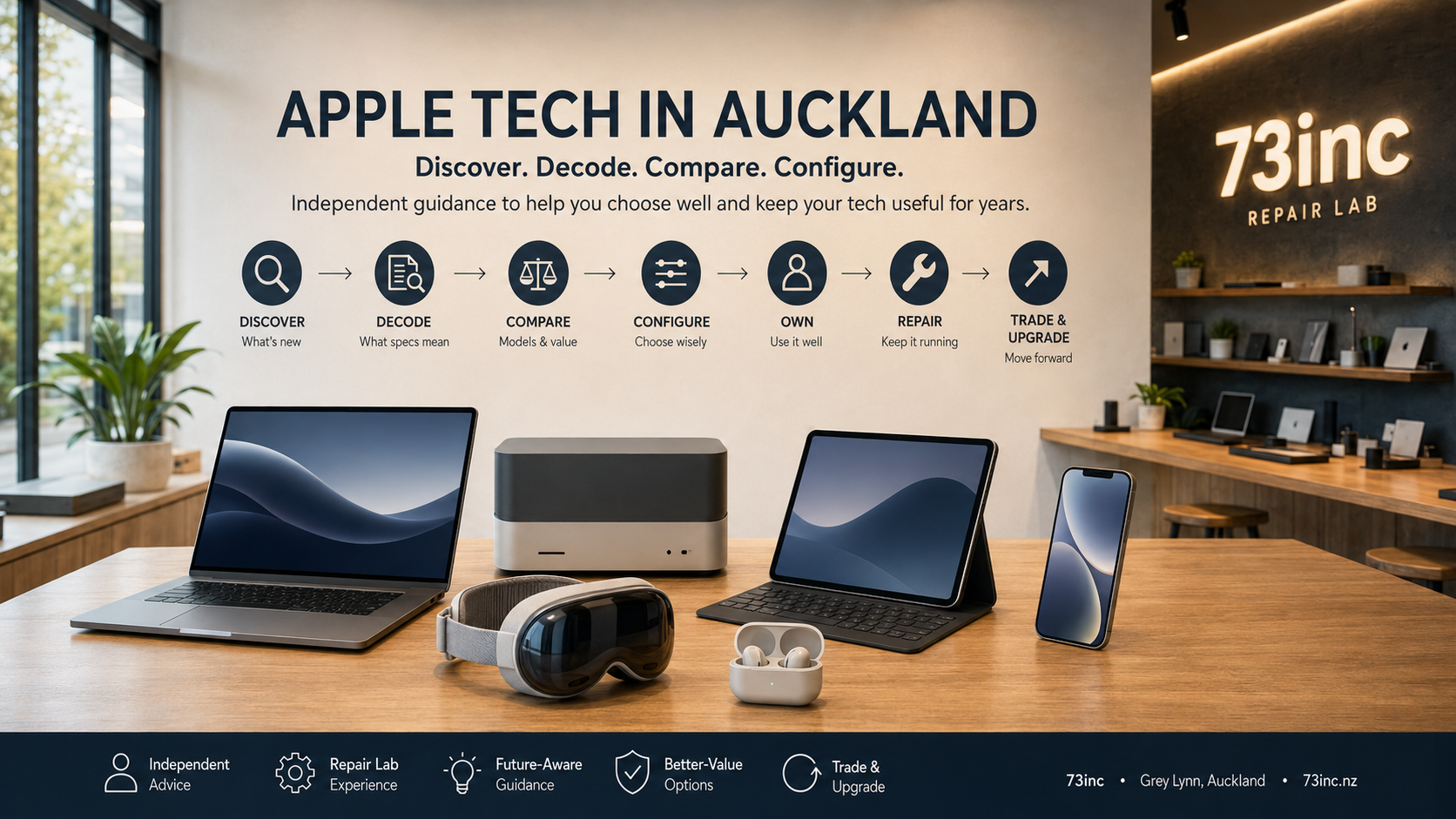
This guide is for anyone searching for an Apple shop in Auckland who wants to discover technology, decode specifications and make a future-aware decision without buying the newest option by default.
What Does a Modern Apple-Tech Experience Look Like in Auckland?
Auckland does not currently have an Apple-operated physical retail store. Apple serves New Zealand through the Apple Online Store and directs customers through its location finder to Apple Authorised Resellers for sales and Apple Authorised Service Providers for authorised service. Those are distinct roles.
73inc is independent from Apple. We are not an Apple Store, Apple Authorised Reseller or Apple Authorised Service Provider. From our repair lab in Grey Lynn, we repair Apple devices, sell selected devices, assess sell or trade options, and help customers think about specifications, ownership and repair economics.
Not sure whether to buy, trade or repair? Browse available devices, ask about selling or trading your Mac, or explore repair options.
If your main question is about official, authorised and independent Apple repair pathways, read Apple Repairs in Auckland: What Your Options Really Are. Here, the focus is the wider Apple-tech journey: discover, decode, compare, configure, buy, own, maintain, repair, trade and upgrade.
How Do You Discover What’s New?
Hearing about a new Apple product tells you what exists. It does not necessarily tell you whether it is right for you.
People discover Apple technology through official events, product pages, advertising, journalism, creators, social media, friends, workplaces and study requirements. Rumours and leaks also enter the conversation, but they are not confirmed information. For specifications, compatibility and availability, Apple’s published information controls.
A keynote explains the story. A specification page confirms details. A reviewer may demonstrate a workflow. A colleague describes lived experience. None knows your data, applications, budget, setup or ownership plans.
Discovery creates possibilities. The next stage is translating those possibilities into a decision.
The Tech Sounds Impressive. What Does It Actually Mean for You?
Technical language is useful only when it changes an ownership decision.
Apple silicon, CPU and GPU cores, Neural Engines, unified memory, SSD capacity, Thunderbolt, USB-C and external-display support all describe real capabilities. But a larger number is not automatically a better purchase. The useful question is what difference it will make to what you do.
CPU performance can matter for compiling code or processing data; GPU capability for 3D, effects and rendering; media engines for video. Display and port specifications determine whether the actual setup works cleanly or needs adapters and docks.
Apple silicon changed the balance between performance and efficiency. Compact Macs can now handle substantial work. A MacBook Air may suit one demanding job while another benefits from a Pro’s sustained performance, display or connectivity. The name does not decide it.
Spatial computing is another durable direction. Apple Vision Pro combines displays, cameras, sensors and spatial interaction in a different interface. The ownership question is whether that interface solves a real problem, enables useful work or offers an experience worth its trade-offs.
At 73inc, the pre-purchase value is translation: move from the specification sheet to the customer outcome, then identify which differences are meaningful and which would probably sit unused.
Start With What You Want the Technology to Do
Before comparing Macs, understand what you want the Mac to do.
Home, business, study, creative, development, data-heavy and mobile work create different priorities. Expected ownership time matters too.
Start with practical questions:
- Which applications and files are part of the workflow?
- What feels restrictive about the current device?
- Will the Mac travel daily or stay on a desk?
- Which displays, drives and accessories must connect?
- Is the work likely to expand into larger creative, development or data projects?
- Are cloud storage, external drives or docks acceptable?
- How long do you expect to own it?
These answers create the brief; without them, comparison becomes a contest between labels and numbers.
The Latest Model Isn’t Automatically the Right Mac
Newest is not automatically most suitable. Previous-generation is not automatically better value either. The answer depends on fit.
A current entry-level machine can be an excellent purchase when its configuration supports the work. At a similar budget, a previous-generation Mac with more memory, storage, graphics or different connectivity may sometimes be stronger. But condition, battery health, software support, ownership status, warranty and repair economics can outweigh an attractive specification.
Air versus Pro should be considered the same way. Portability, battery, screen, sustained workload, cooling, connectivity and external displays matter more than assuming “Pro” is always better.
Buy for those answers. The badge on the box comes second.
The Same Thinking Applies Beyond the Mac
The same framework applies across Apple technology: what changed, what does it mean, and is the difference worthwhile?
With an iPhone, consider storage, size, camera needs, battery expectations, connectivity and upgrade economics. With an iPad, ask whether it complements or replaces a Mac and whether that requires a keyboard, stylus, cellular connection or particular storage capacity.
The decision can also be about how devices work together. An iPad might replace some notebook tasks or simply complement a Mac; a Watch or AirPods may remove daily friction. Ecosystem compatibility matters only when the connected experience will actually be used.
Apple Watch, AirPods and other ecosystem devices should solve a real problem. Check compatibility, the desired feature and whether the ecosystem benefit matters daily. Spatial computing deserves the same test: interesting technology becomes useful only when it improves something you want to do.
Whatever Apple announces next, start with the outcome and decide whether the change is meaningful.
The Decisions You Can’t Easily Change Later
Modern Apple-silicon Macs are highly integrated, so memory and internal-storage choices are normally purchase-time decisions rather than routine upgrades for later.
The aim is not to predict the future perfectly. It is to reduce the chance that an avoidable specification limitation forces an earlier replacement than necessary.
Unified memory: choose around the likely workload
Unified memory is part of the integrated Apple-silicon architecture. It is selected when the Mac is purchased and is not a normal user or post-purchase RAM upgrade.
Automatically choosing the maximum is not necessarily good value. Choosing too little for a likely workload can, however, create a limitation that is difficult to solve later. The useful question is not “How much memory does everyone need?” It is “What workload is this machine likely to handle during the period I expect to own it?”
Someone using everyday office and browser applications has different needs from someone running large creative projects, development environments, virtual machines or data-heavy tools. Sensible headroom can help a machine absorb changes in use, but unused capability is not automatically a smarter purchase.
Internal storage: enough today doesn’t always mean enough later
A particular storage capacity might be enough today. The more useful question is whether it is likely to remain practical as data, software and workflows change.
Storage grows through photos, video, Mail, Messages attachments, documents, downloads, synced cloud files, applications, creative libraries, projects, caches, offline content and device backups. Growth differs by owner, so no capacity is universally sufficient or insufficient.
Review what is stored, how it has changed and whether future work will add larger files or applications. Leave room for macOS, applications and normal working space.
On modern Apple-silicon Macs, internal storage is not designed as a normal post-purchase upgrade. Increasing it later is generally not a practical supported upgrade path in the way replacing an SSD was on many older computers. If requirements eventually exceed the machine’s practical internal capacity, changing the workflow—or the machine—may be more realistic than simply fitting a larger internal SSD.
That makes storage a consequential decision at purchase, even when a lower-capacity option is perfectly suitable today. Available capacities vary across current, previous-generation and pre-owned machines, so the decision must be based on the exact model and intended use—not an assumed starting capacity.
Cloud and external storage: useful tools, not invisible storage
Cloud storage helps, but it does not remove all local-storage requirements.
iCloud and other cloud services can reduce permanent downloads. External drives provide capacity, backups and project storage. Both are useful, while macOS, applications, caches and offline files still use local space. Some creative or data-heavy work also benefits from substantial local working capacity.
Some customers are comfortable managing cloud storage and external drives. Others want everything important available without another device or reliable connection. Neither is wrong; make the trade-off visible before purchase.
Think About Tomorrow’s Software and Data Too
The applications and data on a Mac can change significantly during ownership, even when the original buying decision was sensible.
Operating systems evolve. Applications can gain capabilities or place different demands on storage and hardware. Photo and video libraries expand. A student may adopt development tools, a business may add specialist software, or a creative project may become larger than the work that came before it.
Not all software grows and not every workload becomes more demanding. Use can change, and sensible headroom may accommodate that change better than a configuration already near its practical limits.
Future-aware buying is therefore about foreseeable direction, not guarantees. Nobody can promise that a Mac will run every future application or remain suitable for a fixed number of years.
Future-Aware Doesn’t Mean Buying the Most Expensive Mac
The right specification is not the biggest one. It is the one with enough capability and sensible headroom for what you realistically expect to do.
73inc is not recommending that everyone buy more memory, storage and processor performance. Unused capability can divert budget from portability, a suitable display, accessories, backup storage or simply keeping money available.
A future-aware conversation should understand likely use, identify permanent decisions, recognise constraints and balance them against budget. It should also say when an entry configuration is sufficient.
Innovation can be a new interface or a faster processor, but it can also be choosing the right tool before a limitation becomes part of your workflow.
Better Value Can Come From a Different Buying Path
Once the required configuration is clear, new, previous-generation, ex-display and carefully selected pre-owned devices can be compared on configuration value rather than age alone.
A previous-generation machine with more memory, storage or GPU capability may sometimes suit better than the newest base model. Equally, condition, battery, software support, warranty or efficiency may favour a new machine. “Used is cheaper” and “newest is best” are both too simplistic.
For a pre-owned or ex-display device, assess the exact specification, physical and battery condition, ownership and Activation Lock status, device management where relevant, software support, warranty and repair economics. Those factors determine whether the apparent value is real.
Inventory changes, so evergreen advice should not pretend that a particular unit is always available. When you have established what configuration would actually fit, see what devices are currently available.
The Purchase Is the Beginning of the Ownership Story
Buying intelligently includes thinking about ownership rather than treating checkout as the end of the decision.
Over time, data accumulates, batteries wear, workflows change, accidents happen and faults can appear. A Mac is not destined to fail; ownership simply includes condition, backups, repairability and economics.
A suitable configuration can remain useful through changing work. A damaged but otherwise suitable Mac may be worth repairing. A machine that no longer fits the work may be better traded or replaced even if it can technically be fixed.
The more clearly those possibilities are understood, the less likely a customer is to treat every problem as proof that the newest device is required.
What Repair Technicians Learn After the Sale
Working with devices after years of real use changes the questions we ask before someone buys.
At our repair lab, we see batteries after extended use, Macs with very full storage, displays after years of travel, ports after repeated connections, workloads that have outgrown an original configuration, devices still economically worth repairing and cases where replacement makes more sense.
These are recurring situations, not predictions that every Mac will experience them. They do not make a repair-lab perspective superior to a retail one. A retail conversation often starts with the available products. Ours can start with what the technology needs to do and what may be difficult or expensive to change later.
That raises practical questions: Will the configuration fit if data or work grows? Does the design suit travel? Are the required displays and ports supported? Could its condition and specification justify repair later?
The answers help connect purchase price with ownership value.
Repair It, Keep It, Trade It or Upgrade It?
There are four legitimate outcomes, and useful advice should not force every customer toward the same one.
Repair it
Repair can make sense when the current machine still suits the workload, the fault is understood and the repair economics are reasonable relative to its specification, condition and value. Start with diagnosis instead of assuming either repair or replacement is inevitable.
Keep it
Keeping the device can be the best decision when it remains capable and newer hardware would not materially improve the owner’s work. A launch event is not a replacement deadline.
Trade it
A device with residual value may contribute toward something more suitable. Specification, condition, battery, ownership status and faults all affect that assessment. If this path is relevant, ask about selling or trading a device rather than relying on a generic estimate.
Upgrade it
Moving on can be sensible when workload, memory, storage, software support, hardware capability or repair economics create a real limitation. The reason should be a better fit, not simply a newer model number.
If a fault is controlling the decision, begin with the relevant Apple repair pathway so the problem and likely options are understood before committing to replacement.
Where 73inc Fits Into Your Apple-Tech Journey
73inc is an independent Apple repair and technology business based in Grey Lynn, Auckland. From our repair lab, we repair Apple devices, assess faults and repair economics, sell selected devices, and assess sell or trade options.
We can also help interpret what specifications mean in practical use: whether memory or storage choices fit the intended workload, whether a previous-generation configuration deserves consideration, and whether an existing device is still worth keeping or repairing.
We are not Apple, an Apple Store, an Apple Authorised Reseller or an Apple Authorised Service Provider. Apple’s Online Store, authorised resellers and authorised service providers each have their own roles. Ours is an independent perspective shaped by what happens to technology after people begin living and working with it.
Your Apple Tech Journey Doesn’t End at Checkout
A modern Apple-tech experience means decoding the technology, choosing around real work and keeping the device useful after purchase.
The next step may be to explore a device, keep the Mac, repair a fault, trade it or upgrade because a genuine limitation has appeared.
When Apple announces something new, you do not have to decide from a keynote, advertisement or specification sheet alone. Tell us what you use, what it needs to do next, your budget and expected ownership period. We can help you make sense of the options before you buy.
Talk to 73inc — 0800 726 622, see current devices, ask about selling or trading, or start with Apple repair and repair-versus-replace advice.
The goal is not to own the most technology. It is to own technology that supports worthwhile work and remains a sensible fit throughout its useful life.


