



The holidays are supposed to be relaxing. There should be more family time, fewer work calls, and some Netflix in between. But if your MacBook battery is draining faster than usual, that calm can turn into stress pretty quickly. One minute you are replying to emails or planning travel, the next minute your screen goes black. No warning. No charger nearby. Sound familiar?
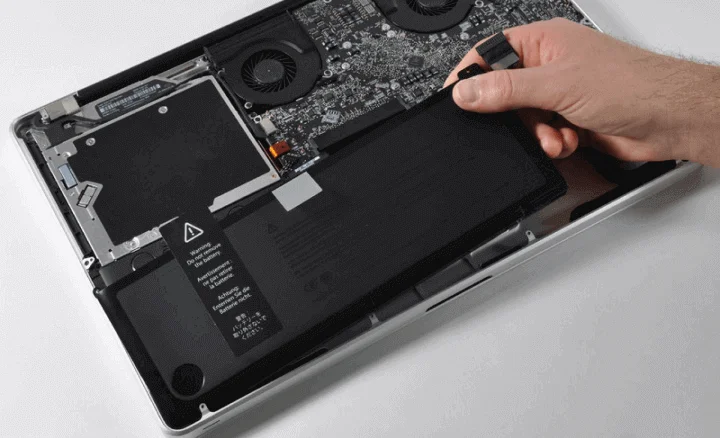
If your device is dying fast, you may need a MacBook battery replacement. Battery issues often arise at inconvenient times, particularly when routines shift during the holiday season. The good news is that there are simple ways to stretch your battery life and signs to watch for when it might be time for professional help.
Let’s walk through it together.
Reasons Why Your MacBook Batteries Might Struggle More During the Holidays
Holiday usage looks very different from regular workdays. Your MacBook is probably working harder than you realise.
Long video calls with family, streaming movies, editing photos, online shopping, and running multiple tabs all add up. On top of that, travel, temperature changes, and irregular charging habits can quietly affect battery health. Even a battery that seemed fine a few weeks ago can start draining faster under these conditions. Let’s look closer at the reasons why your MacBook batteries might be struggling:
Hot Weather Can Drain Power Faster
If you are travelling or sitting near windows, high temperatures can reduce battery efficiency. MacBook batteries do not perform well in extreme conditions. Hot environments can cause faster battery drain and may permanently affect battery health.
Keeping your laptop in a stable, room-temperature environment helps more than most people expect.
Background Apps Keep Working Even When You Are Not
Holiday multitasking usually means dozens of browser tabs, messaging apps, cloud-sync tools, and media players running simultaneously. Many of these continue to use power quietly in the background, draining your battery without you noticing.
Quick Things You Can Do Right Now to Save Battery
Before you think the device has a significant problem, apply these minor fixes first. These fixes are straightforward and often lead to immediate improvements in the situation.
Check Battery Health in macOS
Open the Apple menu, select System Settings, and then go to Battery. Check for the Battery Health option.
If it shows “Normal”, your battery still retains excellent quality. If it states, “Service Recommended”, then battery replacement is a strong possibility.
Lower Screen Brightness Slightly
The power consumption of your display is a significant factor in battery life. Even reducing the brightness by 10 to 15% might double the battery life during long periods of use and make the difference noticeable. It is just a micro adjustment, but it can accumulate over hours.
Close What You Are Not Using
Shut the browser tab if you have finished with it. If you are not using the app, then close it instead of leaving it on. Video streaming, file syncing, and using creative software like photo editors are the most power-hungry applications that can slow down battery performance.
Turn Off Keyboard Backlight When Not Needed
The keyboard backlight is aesthetically pleasing; however, it is still another source of silent battery drain. It is a good practice to switch it off during office hours. This procedure can help save power without compromising usability.
Signs Your Battery May Need Professional Attention
At times, basic optimisations may not work. Check for the warning signs below, and this could give you an idea if your battery needs professional attention:
- If your MacBook’s battery percentage falls from 80 to 20 in an hour while doing light browsing or writing
- If your MacBook goes off at 30 or 40 per cent, that means the battery is not giving stable power anymore
- A “Service Recommended” warning indicates that your battery is no longer reliable in its performance.
Why it Makes Sense to Fix Battery Problems Before the Holidays
The festive season is hectic enough. A trustworthy MacBook is a must when travelling, working remotely, or relaxing at home, as it is a good companion throughout. Solving battery issues means:
- No despair when your charger is far away
- More productivity and less lag in the process
- Less pressure during vital conversations or assignments
- Increased overall lifespan of your MacBook
If your MacBook is a few years old and showing clear signs of battery wear, replacement is often the smartest solution. A new battery can make your laptop feel surprisingly fresh again.
Performance improves, shutdowns disappear, and you can actually use your MacBook away from the charger without anxiety.
Final Words
If your MacBook battery is letting you down, 73Inc is here to help. Based in Auckland, we offer fast, reliable MacBook Air and Pro battery replacement services, with 5-star customer reviews. We complete most repairs on the same day, provide a warranty, and offer the Fix Today, Pay Tomorrow option. Book a repair to get your MacBook running smoothly again without the stress.