


When it comes to MacBook repair, numerous myths and misconceptions exist. Many consumers believe that only Apple can repair their machine or that repairs are never worth the cost. In truth, most problems stem from simple causes, such as dust buildup, ageing thermal paste, minor hardware defects, or software conflicts that are easily and inexpensively resolved.
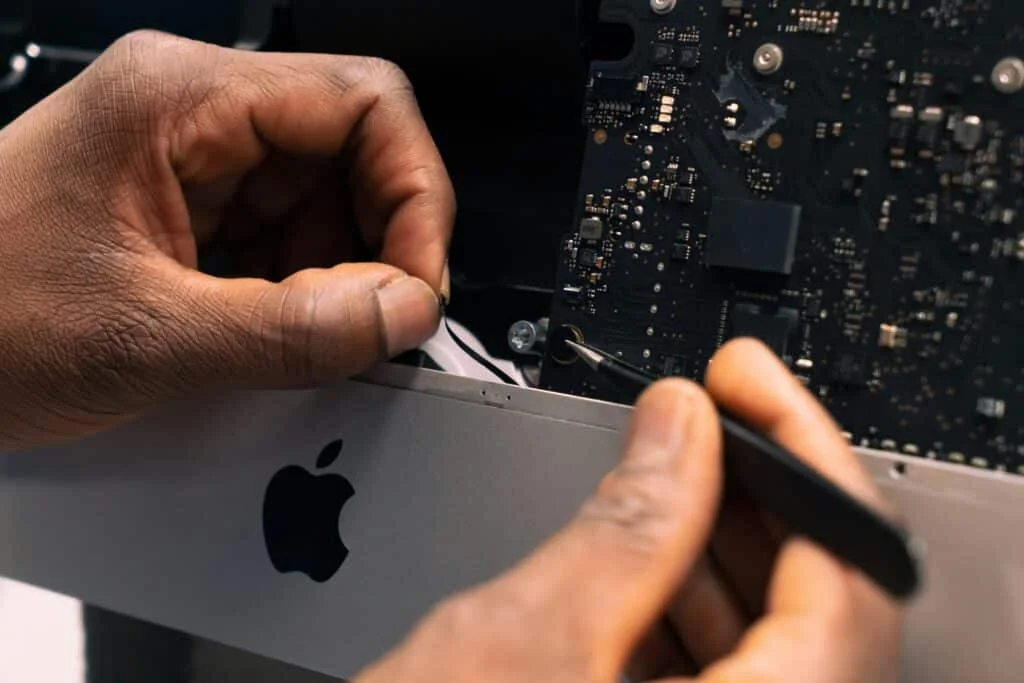
A well-kept MacBook can last for a longer time without requiring replacement, and reputable third-party MacBook repair in Auckland can perform high-quality repairs that are backed by warranties.
In this blog, we will debunk the myths and help you understand the correct facts.
MacBook Repair Myths vs Facts
MacBook users often enter repair shops with trepidation, not because the issue is severe, but because the internet has convinced them of the worst. You’ve probably heard at least a few of these myths yourself. Let’s dispel the misinformation, dissect the rumours, and uncover the truth. Some of these may surprise you… ready?
Myth 1: “Only Apple Can Repair a MacBook Properly.”
The myth is so common that whenever MacBooks need repair, people instantly stop searching for help. They think they must go to an Apple store and spend a lot of money. But that’s not correct.
Authorised third-party repair centres, such as 73Inc, use high-grade parts, advanced tools, and strict protocols. Some of them even have Apple-specific experience, offer faster turnaround times, and sometimes provide more transparent explanations of what’s going wrong inside your MacBook.
If you’ve been delaying a repair because you think Apple is the only safe choice, here’s the twist: you may actually be missing out on more flexible, budget-friendly options.
Myth 2: “A Slow MacBook Means It’s Time for a New One.”
Before spending your money on a new device, you need first to ask yourself: Is it really dying or just dirty?
There are several reasons why a MacBook may experience slow performance. It could be an outdated macOS, dust blocking the fans, ageing thermal paste, or perhaps a failing battery. However, don’t panic because these reasons don’t necessarily mean your laptop is doomed.
In most cases, a tune-up, cleaning, or part replacement gives your MacBook an instant second life. People often walk out of repair centres shocked at how quickly their “old” Mac feels new again.
Myth 3: “If the Screen Breaks, It’s Cheaper to Buy a New MacBook.”
To some, a shattered screen would be one of the most expensive repairs for a phone. However, contemporary repair services offer solid OEM or compatible replacements that will not set you back anywhere near the cost of a new MacBook.
Whether it’s a tiny line through the centre of your screen or a total blackout, screens are some of the MacBook parts that get repaired (and returned to action) most frequently. Get an estimate before considering a costly replacement.
Myth 4: “Water Damage Means Your MacBook Is Done.”
Spilt coffee? A glass of water was knocked over. Panic is natural, but don’t write off your MacBook immediately. The internal board and keyboard are more resilient than you think. With professional cleaning, corrosion treatment, and component-level repair, many liquid-damaged laptops can be fully restored.
The real danger is the wait. Leaving the moisture inside allows corrosion to spread. If you act quickly, your chances of recovery increase. So don’t assume it’s a total loss; act soon, and let experts inspect it.
Myth 5: “Battery Issues Can Only Be Fixed by Apple.”
When your Mac no longer retains a charge, runs out too quickly, or shuts down unexpectedly, the first suspect is typically the battery. Apple batteries are top-notch, but they don’t last forever, and replacing them is a routine task for repair shops with some technological sophistication.
Make sure that when you choose a MacBook repair centre, it uses certified or genuine batteries. A solid option will help restore form and function, dissipate heat, and make your MacBook feel like a brand new machine.
Myth 6: “Data Loss Is Guaranteed During Repair.”
Your files are not wiped unless the device is significantly damaged or the repair requires reinstalling your operating system. In such cases, professionals back up your system before making changes. We specifically include data recovery software, cloning, and safe-mode testing to safeguard your data during the process!
So, whatever you do, don’t count on losing it all. Most of your photos, documents, and work files are unchanged.
Final Words
MacBook myths can make repairs feel risky, but the truth is simple: the right team can save your device, your data, and your wallet. At 73Inc, the leading professional MacBook repair service in Auckland, we combine expert diagnostics, logic board–level repairs, fast turnaround, and a ‘Fix Today, Pay Tomorrow’ option to make the entire process stress-free. For reliable, honest, five-star MacBook repair in Auckland, contact us today.